"You get to pick which ad you want to read, when you want to read it to maximize revenue. It's revolutionary, it's amazing."
Turn viewers into dollars
Monetize your live stream by getting sponsors directly through Rumble Studio. Browse campaigns before you go live, or find your perfect match while streaming. Click the ad, read the script, and watch the earnings roll in.
Creators are cashing in
"You get to pick which ad you want to read, when you want to read it to maximize revenue. It's revolutionary, it's amazing."
How it works
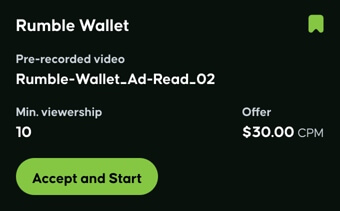
Open the Campaigns panel in Rumble Studio and browse available reads — including For You campaigns matched to your channel and audience.
Choose which side of the screen the banner appears on. The script displays in large font on the right — read it live, or play a pre-recorded version you uploaded earlier.
A branded QR code appears on-screen and an advertiser link drops in your live chat and the video description. Reference it in your pitch — viewers scan and convert.
Press Complete. Reads are reviewed in up to 48 hours. Approved reads deposit directly into your Rumble.com balance.
See it live
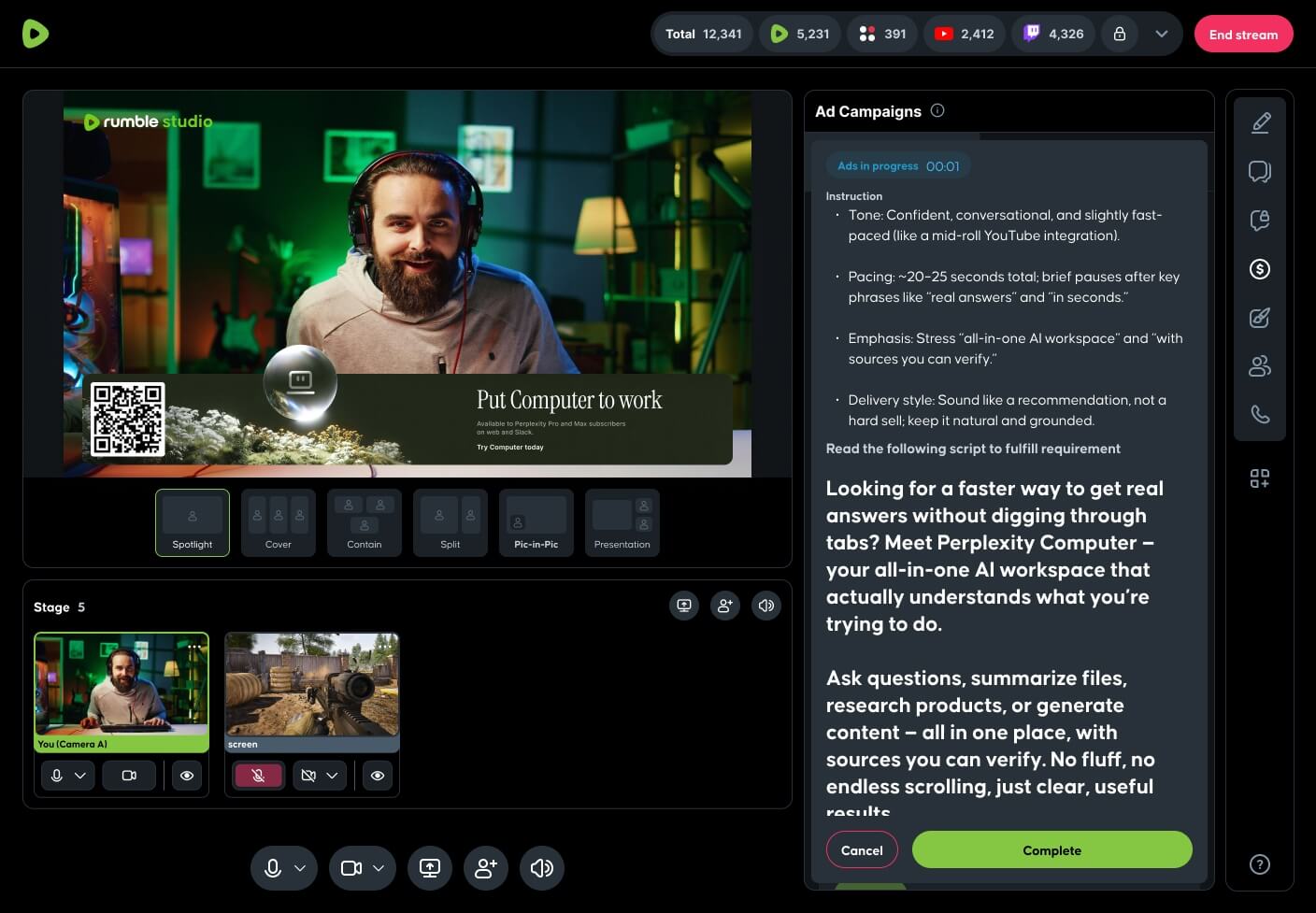
"Quick shoutout to today's sponsor — scan the QR or tap the link in chat for an exclusive Rumble viewer offer."
FAQ
Reads are automatically sent for review and approved in up to 48 hours. Approved reads deposit directly into your Rumble.com balance. Rejected reads include feedback so you can improve the next one.
If you stream on Canvas, no preparation is required — campaigns are ready in the Campaigns panel. If you stream on Direct RTMP, you'll embed the ad banner widget (with QR code and advertiser info) as a browser overlay in your streaming software, kept at the top of your source list and added to every scene used during the read.
Campaigns specifically targeted to your channel and audience — designed to match your content style or viewer profile. Paid out at a flat rate or per live viewer when you read them live and meet the deliverable requirements. Prioritize them when available.
Yes. Record the read in advance for optimal lighting, sound, and delivery, then upload it to the campaign. When you go live and start that campaign, your pre-recorded ad read will automatically play to your audience. For Direct RTMP, select "Control audio via OBS" in the browser source so the audio plays.
No — each campaign can only be completed once per live stream. Browse the Campaigns panel to stack different reads across a single show.
No. The minimum live viewership limit is for Rumble only, not other destinations such as YouTube. As long as you hit the threshold on Rumble, you can interact with the campaign.
Start your next stream, open the Campaigns panel, and turn an authentic 30-second read into a real deposit.